
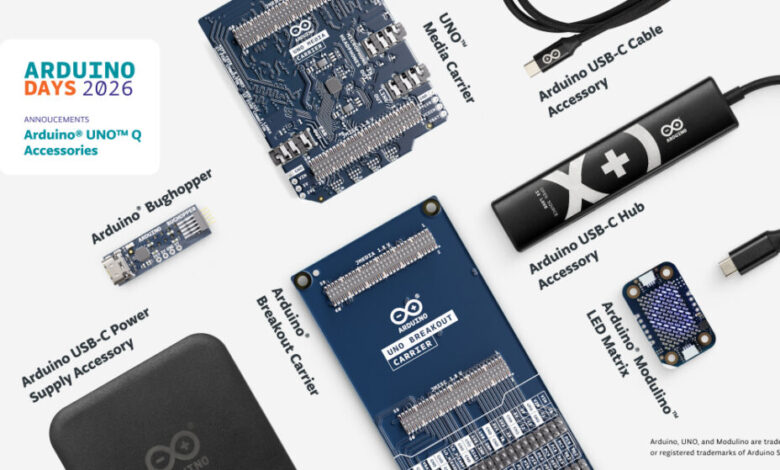
If you’ve been playing with the Arduino UNO Q, you know it’s already a pretty serious piece of hardware. That hybrid setup—with a Linux-capable Qualcomm Dragonwing MPU paired with a real-time STM32 MCU—opens the door to edge AI, computer vision, and proper embedded applications that the classic UNO could only dream of. Well, during Arduino Days 2026, the team just announced seven new products specifically designed to expand what you can actually do with the UNO Q in the real world.
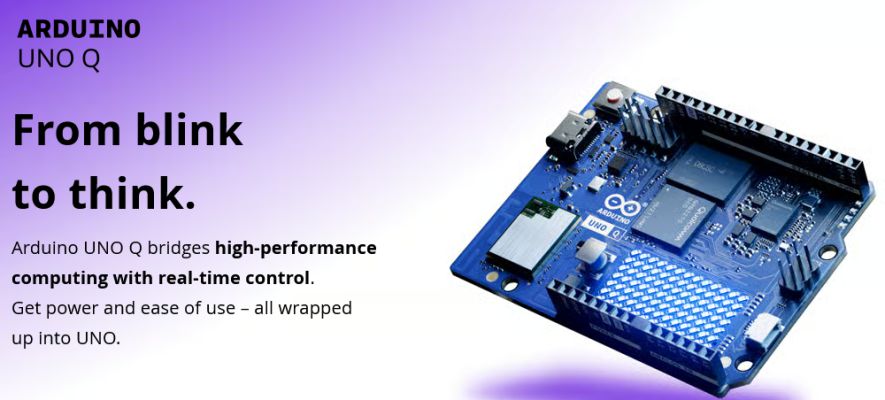
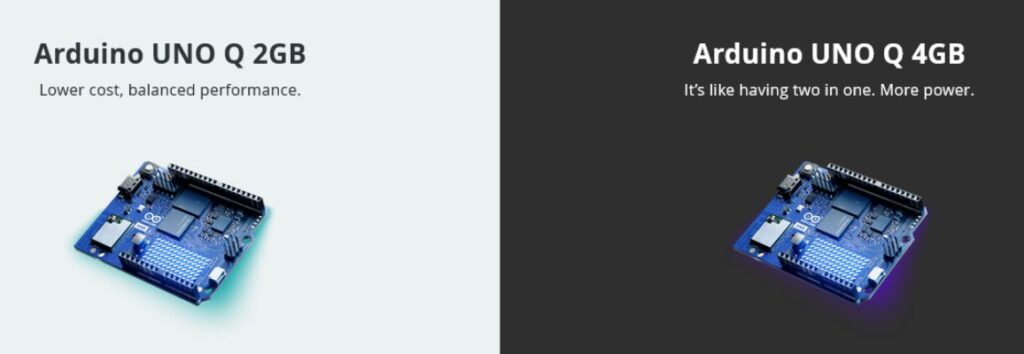
It’s not just random add-ons. These feel like thoughtful extensions that address common pain points: reliable power, better connectivity, multimedia capabilities, easier debugging, and quick prototyping. Some of them turn the UNO Q into something that starts looking and behaving more like a compact single-board computer while still keeping that familiar Arduino workflow.
Power and Connectivity Basics Done Right
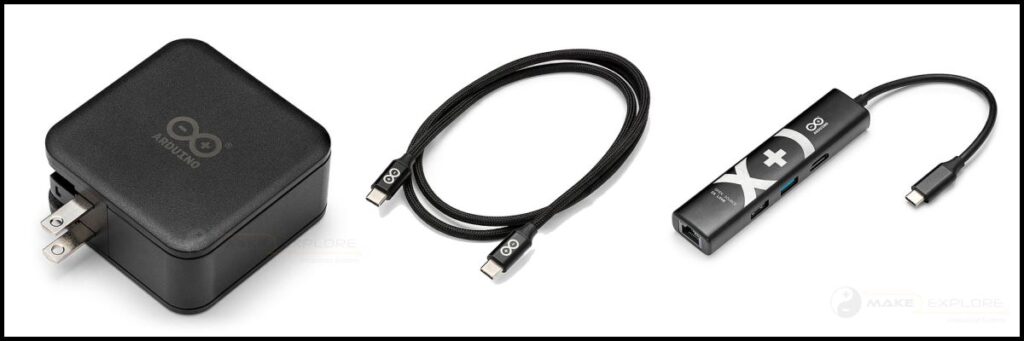
First up are three USB-C focused accessories that might seem simple on the surface but solve real headaches when you start pushing the board harder:
- The Arduino USB-C Power Supply (45W) with a multi-plug design that works across different countries. It’s built for stable, regulated power delivery even under demanding workloads—exactly what you want when you’re running vision pipelines or heavier Linux-side tasks.
- A matching Arduino USB-C Cable (24-pin) that handles high-speed data and power in one solid, durable connection. Nothing flashy, but reliability matters when you’re deploying projects.
- The Arduino USB-C Hub (8-in-1) is probably the most exciting of this trio. It adds HDMI output, Ethernet, extra USB ports, and power passthrough in a compact package. Suddenly your UNO Q can drive a display, talk to wired networks, and connect multiple peripherals without a mess of dongles. Hackster nailed it when they said this pushes the board closer to full SBC territory.
Multimedia Muscle for the UNO Q
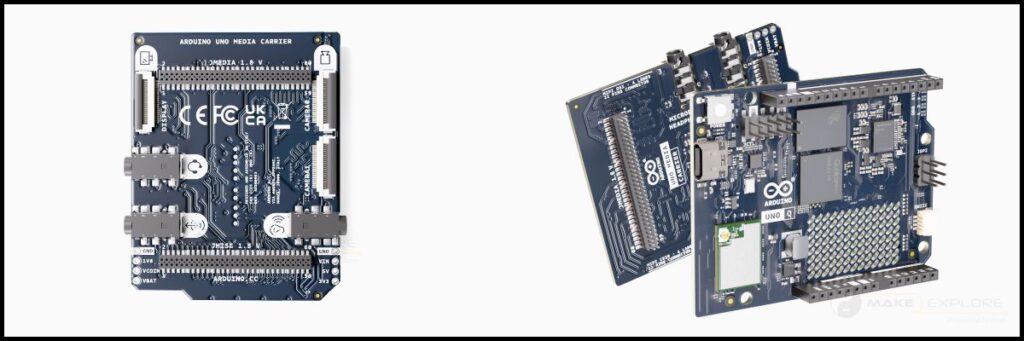
If you’re into computer vision, interactive installs, or edge AI with media, the Arduino UNO Media Carrier is going to be a game-changer. It plugs into the UNO Q’s high-speed JMEDIA and JMISC connectors and gives you:
- Two MIPI CSI ports (22-pin, 4-lane) for cameras—perfect for stereo vision, depth mapping, or multi-angle object tracking.
- A MIPI DSI interface for connecting displays.
- Three 3.5 mm audio jacks: combined mic/headphone, line out, and a dedicated ear out with Class-AB differential drive.
This carrier basically turns the UNO Q into a compact multimedia hub. Think AI-powered kiosks, smart cameras that do local processing, or interactive art pieces that need both vision and sound. No fiddly adapters or fragile ribbon cables everywhere—just clean, purpose-built expansion.
Prototyping and Debugging Helpers
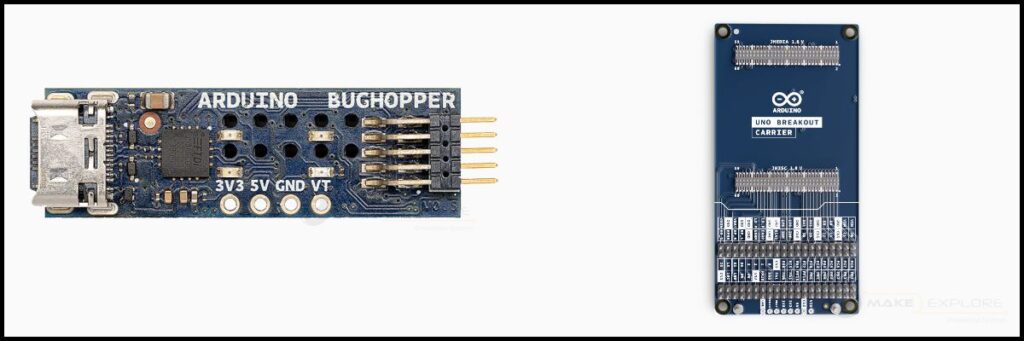
For makers who live in the lab or need to integrate the UNO Q into bigger systems, there’s the Arduino UNO Breakout Carrier. It exposes all the juicy signals from the JMEDIA and JMISC connectors—audio lines, I²C, SPI, UART, PWM, power rails, and control signals—onto clearly labeled male headers. No more hunting through datasheets or soldering temporary breakouts when you’re testing something new.
Then there’s the Arduino Bug Hopper, a tiny debugger board (just 38.5 × 11 mm) that connects via the UNO Q’s JCTL port. It uses an FT230XQ FTDI USB-to-UART bridge and gives you a clean, high-speed serial link for debugging and logging without eating up your main I/O pins. Onboard LEDs show status for 5V, 3.3V, and VTARGET. It’s one of those tools you don’t realize you needed until you’re deep in a tricky project and want reliable console access even in a deployed setup.
Quick Visual Feedback with Modulino
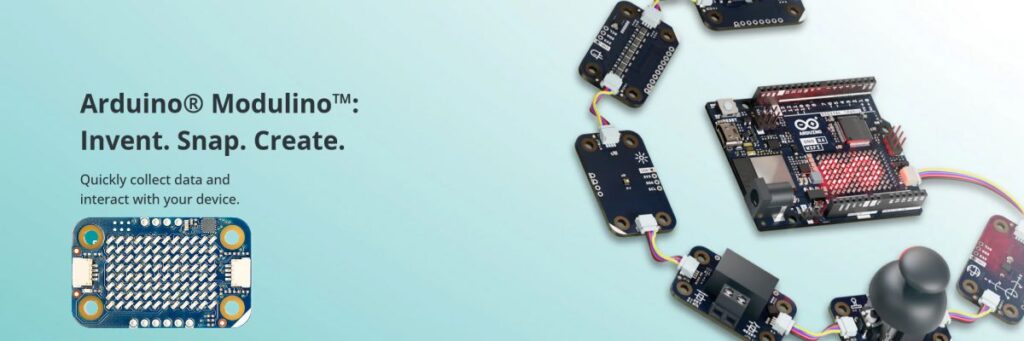
Rounding out the announcement is the Arduino Modulino LED Matrix—an 8×12 LED grid that connects via the standard Qwiic port. It’s the latest in the Modulino family of tiny, daisy-chainable modules, so you can mix it with the existing nodes for sensors, relays, etc. Great for adding simple animations, status indicators, or notifications without taking up much space or complexity. This one is already available in the Arduino Store, unlike most of the others which are rolling out soon.
Why This Matters
Taken together, these seven products show Arduino doubling down on making the UNO Q a versatile platform rather than just another powerful board sitting on a shelf. Whether you’re a hobbyist building interactive projects, an educator putting together demos, or a pro developing edge AI solutions, there’s something here that removes friction.
The power and hub accessories make the board more practical for everyday use. The Media Carrier and Breakout open up serious multimedia and integration possibilities. The Bug Hopper and Modulino handle the “nice to have but really useful” side of development and feedback.
We’re curious to see what people build first once everything ships—especially projects that combine the Media Carrier’s stereo vision with some local AI on the UNO Q’s Linux side. If you’ve already got a UNO Q, which of these are you most excited about?
Let us know in the comments, and keep an eye on the Arduino Store for availability updates.


